Trampoline and snow scooters: what are they and why aren’t they freestyle scooters?
21. October
Entire article
Written by Martin Nogol, Scootshop.cz · Updated on the 14th. 10. 2026
⚡ In short: in 9 cases out of 10, a scooter rattles because the compression or clamp is loose. The repair takes 5 minutes and requires a 6 mm Allen key.
The procedure is always the same: loosen the clamp, tighten the compression until the handlebars have no play but still turn smoothly, align the handlebars with the wheel, and tighten the clamp crosswise.
Then the wheel axles (key 13) and the brake. If it keeps knocking, the headset bearings or the spacers in the wheel are next.If you see a crack near a weld, on the head tube, or at the ends of the board, stop riding. That’s no longer tightening it; it’s replacing the part.
🔊 Drop test
Drop it onto the wheels from a few centimeters away.
A dull sound is OK; knocking means something is loose.⚙️ Compression → sleeve
The most common cause of knocking is tightening the bolts in the wrong order.
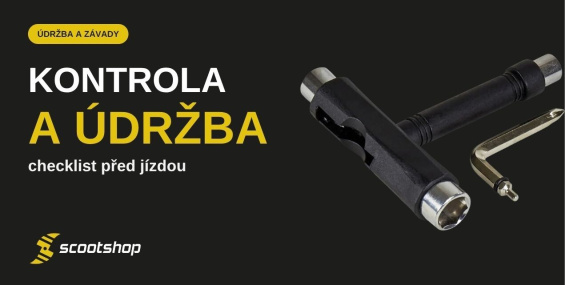
🧰 6 mm and 5 mm Allen keys, 13 mm wrench
You don’t need more tools for 90% of repairs.
🚫 WD-40 is not a lubricant
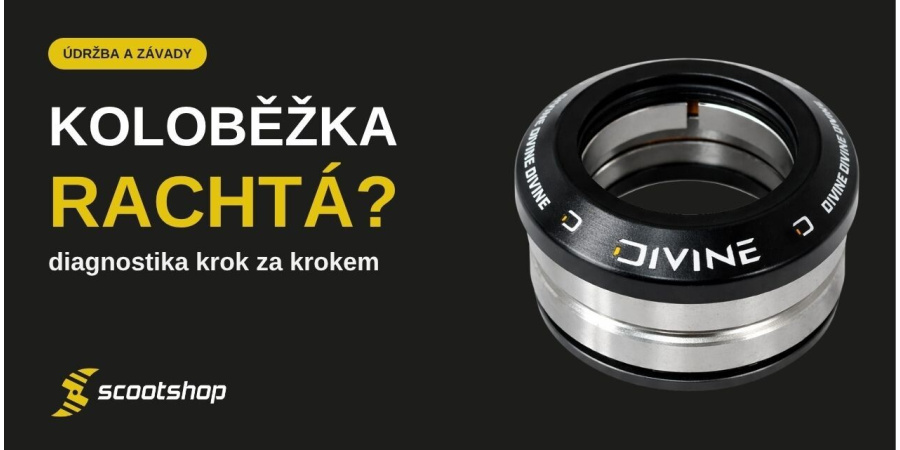
Degreases. A creaking headset is cleaned and lubricated with grease.
🚨 Crack = stop
Welds, head tube, plate ends. Do not drive; replace.
It's the most common question we get at the service center. A freestyle scooter is held together by several bolts, which are subjected to forces several times the rider’s weight when landing jumps. The parts settle in, the bolts gradually loosen, and every bit of play increases as you ride. Knocking isn’t a defect; it’s a sign that it’s time to spend five minutes with an Allen key.
First, find out where it’s knocking. Perform a drop test: lift the scooter a few centimeters off the ground and let it drop onto its wheels. A dull sound is fine; metallic knocking or rattling means there is play. Then hold the front wheel between your feet and try moving the handlebars: rock them back and forth, turn them against the wheel, and lift them. Each movement points to a different cause; see the table.
| 🔊 Symptom | 🧐 Cause | 🛠️ Solution | 🏪 When to visit a repair shop |
| The handlebars turn independently of the front wheel | Loose clamp. | Alternatively, a shim may be missing (standard handlebars in an oversized clamp), or handlebars without a notch in a standard clamp.Align the handlebars with the wheel and tighten the clamp in a cross pattern. If it rotates again after every ride, check the shim and the clamp diameter. | Stripped thread in the socket, cracked socket, deformed notch. |
| The handlebars move back and forth | Loose compression, meaning play in the headset (the bearings in which the fork turns). | Loosen the collar, tighten the compression bolt in quarter-turn increments until you reach the sweet spot, then tighten the collar crosswise. | The compression cannot be tightened (stripped thread in the fork, loose or missing shim); play returns after every ride. |
| Knocking during the drop test, handlebars stay steady | Loose wheel axle, loose brake bolt, or slight play in the headset. | Try moving the wheels from side to side and tighten the axles with a 13 mm wrench. Tighten the brake screw. Compression at the end. | It still knocks after everything has been tightened; the bearing seat in the wheel is worn out. |
| Creaking or squeaking when turning the handlebars | Dry or dirty headset, sand in the bearings, overtightened compression. | Allow compression by a quarter turn and try. If it still creaks: disassemble it, clean the headset bearings, and grease the cups. Replace the damaged bearings. | The bearings are still crunching even after cleaning; you don't want to take the front end apart yourself. |
| The wheel wobbles from side to side | A loose axle, a missing spacer between the bearings, or a damaged bearing. | Tighten the axle firmly with a 13 mm wrench. If it still wobbles or rubs after tightening, check the spacer and bearings. | Play remains even with new bearings: the wheel hub is worn (oval), so a new wheel is needed. |
| Wheel rubs and does not spin freely | Overtightened axle without a spacer, improperly seated bearing, or brake resting against the wheel. | Allow the shaft to move freely, check the spacer, and seat the bearings evenly. Check that the brake does not touch the wheel when stationary. | The bearing cannot be removed or seated straight; you need a bearing press. |
| Brake rattles or makes a clattering noise | Loose brake screw, missing rubber washer under the brake, or a worn wheel (the brake has too much clearance). | Tighten the brake screw (3 or 4 mm Allen key; do not overtighten). Replace the worn-out wheel. | Stripped thread in the board, cracked brake. |
| Clicking when landing | Most often, slight play in the headset or clamp that only shows under load. It could also be a brake or an axle. | Go through the entire procedure below: compression, clamp, axles, brake. | It keeps clicking throughout the entire process: suspected crack near the weld or head tube. Stop driving. |
If the knocking started immediately on a new scooter, it is almost certainly due to the tightening sequence during assembly. The procedure for a new scooter is explained in the article How to assemble a new freestyle scooter and what to check before your first ride.
Riders call it “dialing”: checking the scooter from the handlebars down to the wheels to make sure there’s absolutely no play. Stick to the order; skipping is why it “doesn’t work” at home.
Drop test again at the end. A dull sound = done. We discuss the compression tightening procedure for each system separately in the article How to Tighten Compression and Handlebars.
💡 What not to do
Do not drag. Tighten firmly by hand using a standard Allen key, without extending the lever; applying more force may strip the thread or dent the handlebars. No glue for handlebars that keep slipping, and no superglue in the threads; the problem is the diameter or a missing shim, not glue. WD-40 is not a lubricant. It degreases, flushing the remaining lubricant out of the bearings, so after a few days they squeak even more. Bearings should be lubricated with oil or bearing grease from the maintenance category.
| 🧰 Tools | 🔩 What for |
| 6 mm Allen key | Clamp and compression on most scooters. With better scooters, it’s all you need. |
| 5 mm Allen key | Clamp or compression fitting on some complete sets. |
| 3 or 4 mm hex key | Brake screw. |
| 13 mm wrench | Wheel axles (some sets use an Allen key, depending on the axle type). |
| Bearing grease, cloth | Cleaning and lubricating the headset and wheel bearings. |
High-quality Allen keys are better than the ones included in the package; a soft Allen key will slip in the screw and strip its head.
If you’ve gone through the entire process and everything is tightened, but the scooter still clicks when landing or the handlebars feel “soft,” inspect it under good lighting. Look for hairline cracks in these areas:
A cracked part is neither tightened nor welded. Stop riding and replace the part; the crack could suddenly spread when you jump. For a new scooter or part, contact the seller. The procedure is described in the article How to Make a Warranty Claim. If you’re not sure whether it’s a crack or just a scratch in the paint, send us a photo or come into the store and we’ll take a look—even if you bought the scooter elsewhere.
Go through the sequence again: loosen the collar, compress to the sweet spot, align, tighten the collar crosswise. Then secure the axle with a 13 mm wrench and tighten the brake screw. If it still knocks, check the spacers and bearings in the wheels, as well as the headset bearings. If it still clicks, look for a crack.
With a new scooter, this is normal for the first few rides as the parts settle in. When this happens, the shim is missing (standard handlebars in an oversized clamp), the clamp has the wrong diameter, or the handlebars have no slit and are fitted in a standard clamp. Glue won’t help; the right part will.
The handlebars turn stiffly or catch, even when the clamp is loosened. Loosen the compression screw by a quarter turn; it is set correctly when there is no play and rotation is smooth.
No. WD-40 degreases and washes lubricant out of bearings. Disassemble the headset, clean the bearings, and grease the cups. Replace the damaged bearings; they’re inexpensive.
Remove it and check the spacer between the bearings and the bearings themselves. If it still wobbles with new bearings, the bearing seat in the wheel core is worn out, and the only solution is a new wheel.
Bring your scooter to our store in Pardubice. We’ll inspect it and tighten everything on the spot. We also service scooters purchased elsewhere, with no restrictions. You can find spare parts in the freestyle scooter parts category, maintenance products in the maintenance category, and more guides in the Guides section.